
Third in our series on CalDAV servers, after Baïkal and Nextcloud: this time Radicale, the smallest server we have tested so far.
What Radicale is
Radicale is a minimal CalDAV and CardDAV server. It is a small Python program with no database and no web stack behind it – you give it a directory, and it keeps your entries there as plain files. That modesty is the appeal, and it is why Radicale turns up so often on home servers, NAS boxes and Raspberry Pis.
It is also, quite deliberately, a server for people who want to run a server. There is no installer to click through and no hosted version to sign up for; it is configured in a text file. If that sounds like your kind of thing, it is genuinely pleasant software.
The short version: it works
We tested all three apps – spectacled Journals, spectacled Notes and spectacled Tasks — against Radicale 3.8.0, running from the tomsquest/docker-radicale Docker image.
| App | Status | Notes |
|---|---|---|
| Spectacled Journals | ✅ Works | No issues found |
| Spectacled Notes | ✅ Works | No issues found |
| Spectacled Tasks | ✅ Works | No issues found |
There was nothing to change on either side. Radicale speaks the authentication Spectacled uses, and it can store notes, journal entries and tasks alike – so all three apps simply worked. No authentication setting to switch, no app passwords, no surprises.
Getting Radicale running is its own job
We should be straight about the division of labour here. Getting Radicale installed, giving it users, and deciding how it is reached from your phone is Radicale’s territory, not ours – and depending on your setup it can take an afternoon rather than five minutes. The project’s documentation is the proper guide, and the Radicale community is the right place to ask when the server itself is not behaving.
What we can tell you is what happens once it is running, which is the rest of this article.
How your server is reached
One thing is worth understanding, because Spectacled will ask you about it.
Your password is sent to the server with every request. Over an encrypted connection – an address starting with https:// – that is protected in transit. Over a plain http:// address it is not: your password and everything you sync are readable by anyone else on that network.
So when you enter an address beginning with http://, Spectacled shows a warning and asks you to confirm. This is a judgement call rather than a blocker, and it is yours to make. On your own home Wi-Fi, plenty of people connect to a local Radicale over plain HTTP quite happily, and that is a reasonable position. Across the open internet, or on a network you share with people you do not know, it is not – use an encrypted connection there, or do not connect at all.
Connecting your account
Enter your Radicale address as the server, along with the username and password you set up there. Behind a reverse proxy that is usually just https://dav.example.com/; running Radicale directly it is http://your-host:5232/. If automatic detection does not find your server, entering the full address by hand always works.
After login, Spectacled asks the server what it supports and lists the folders it finds. Only folders that can actually hold your entries appear, so anything unsuitable is filtered out – that is expected rather than a failure. On a fresh Radicale install there may be nothing at all yet. In that case, let Spectacled create a folder for you during setup: it asks the server for exactly the right kind, which saves you setting one up yourself.
If your server is on your own network
Radicale very often lives on a machine in the house, reachable at an address like 192.168.1.20 or raspberrypi.local. Mobile operating systems treat connections to addresses like those as separate from ordinary internet access, and ask for permission before allowing them.
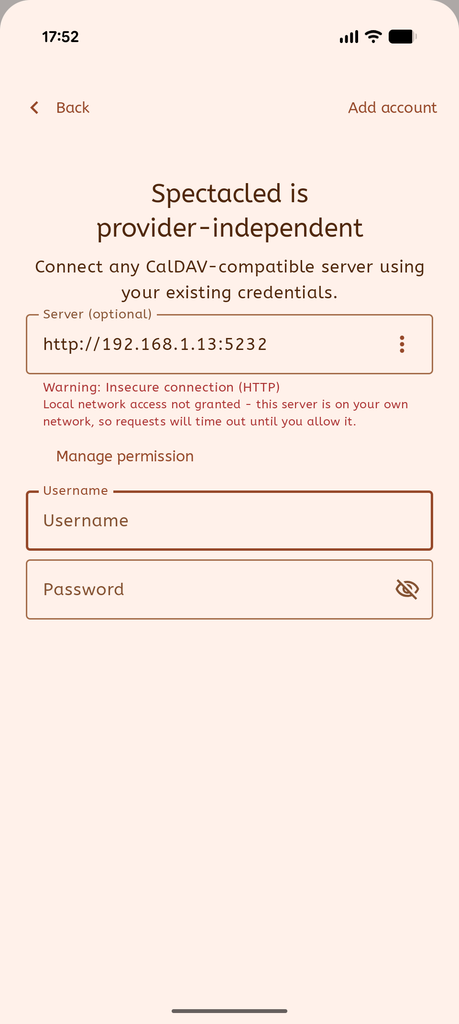
This is worth knowing because it does not look like a permissions problem. A blocked local connection is not refused, it simply times out – so the app seems to hang and then reports that it cannot reach the server, which sends people off to check a Radicale setup that was fine all along.
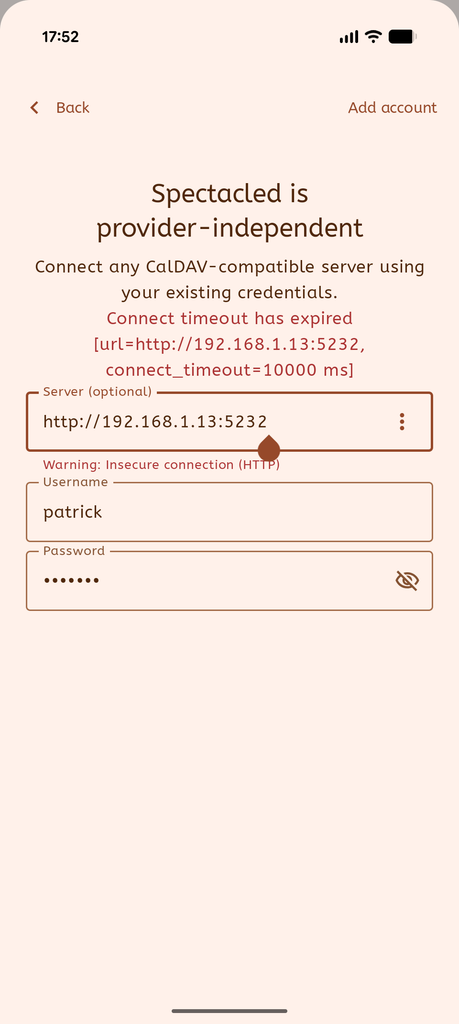
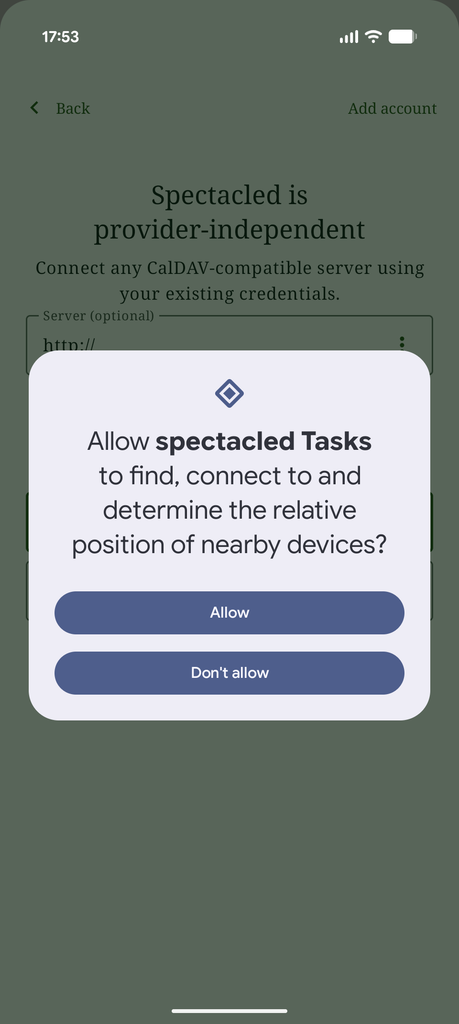
On Android, local network access used to come along with ordinary internet access; as of Android 17 it is a separate permission you have to grant. Spectacled recognises a local address as you type it into the server field and shows a short notice underneath, telling you whether access is currently granted, with a Manage permission button that takes you where you can allow it. Once granted, the connection goes through immediately.
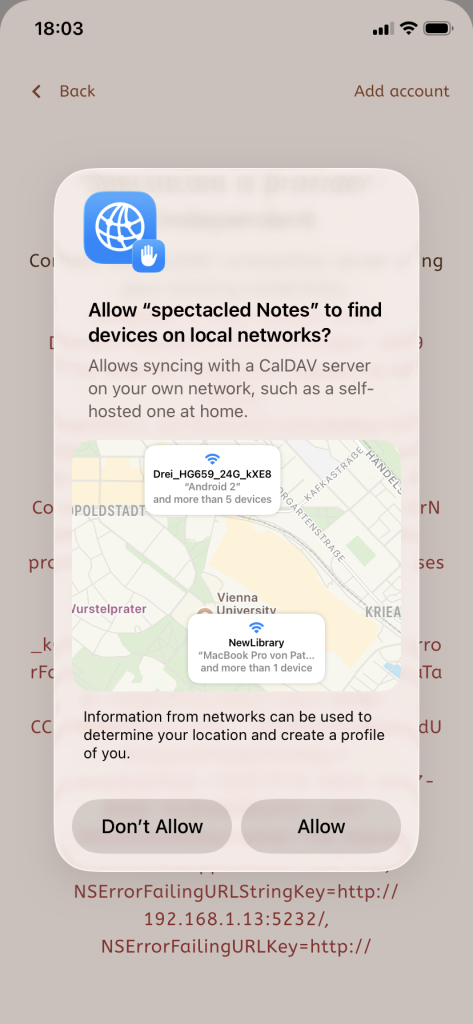
On iOS, the system raises its own prompt the first time the app tries to reach a local address – allow it there. iOS gives apps no way to ask in advance or to check afterwards, so Spectacled cannot show you the same indicator it shows on Android. If the prompt was dismissed, the setting is in the iOS Settings app under Spectacled.
Two things to add. This only applies to servers on your own network – if you sync with a hosted provider, you will never see the notice or the prompt. And this handling came directly out of the testing for this article, so do make sure your apps are up to date: on an older build, the same situation just looks like a server that cannot be reached.
The desktop and web versions are not affected.
Your data stays yours
One thing worth appreciating about this pairing: at the end of the chain, your notes, journal entries and tasks are ordinary text files in a folder on your own machine. You can open one and read it. They are included in whatever backup you already run for that machine, and nothing is locked inside a database that only one program understands.
That is the same principle Spectacled is built on, arrived at from the other end. Neither piece of software is trying to become the thing you cannot leave.
A note for web app users
The browser version needs one extra piece, and it is not Radicale’s fault: browsers place restrictions on what a web page may connect to, and CalDAV servers generally do not send the headers needed to satisfy them. The web app therefore reaches your server through a small relay, which you can run yourself. The Android, iOS and desktop apps connect to Radicale directly and need none of this.
Verdict
Radicale turned out to be an excellent match for Spectacled. It supports everything all three apps need, it required no workarounds of any kind, and once running it simply stayed out of the way – which is the highest compliment you can pay a server.
The honest caveat is the one Radicale itself makes: this is software for people who are willing to run their own server and edit a configuration file. That is a real requirement, not a formality. If you are up for it, you end up with a complete personal sync setup on hardware you already own, and your data in files you can read. If you would rather not, that is exactly what the hosted providers are for.
Tested Spectacled against a server we haven’t covered yet? Let us know – reports from users are how this series grows.
Leave a Reply